
A router table can earn its space quickly. It holds the router steady while you guide the board, making repeat edge profiles and some joinery tasks easier to manage. But the best table for a shared workbench may be the wrong choice for a shop with room for a dedicated cabinet.
If you’re searching for free woodworking plans for a router table, start with three things: how much room you have, what you want to make, and whether the plan fits your router. Those details matter more than a long list of features.
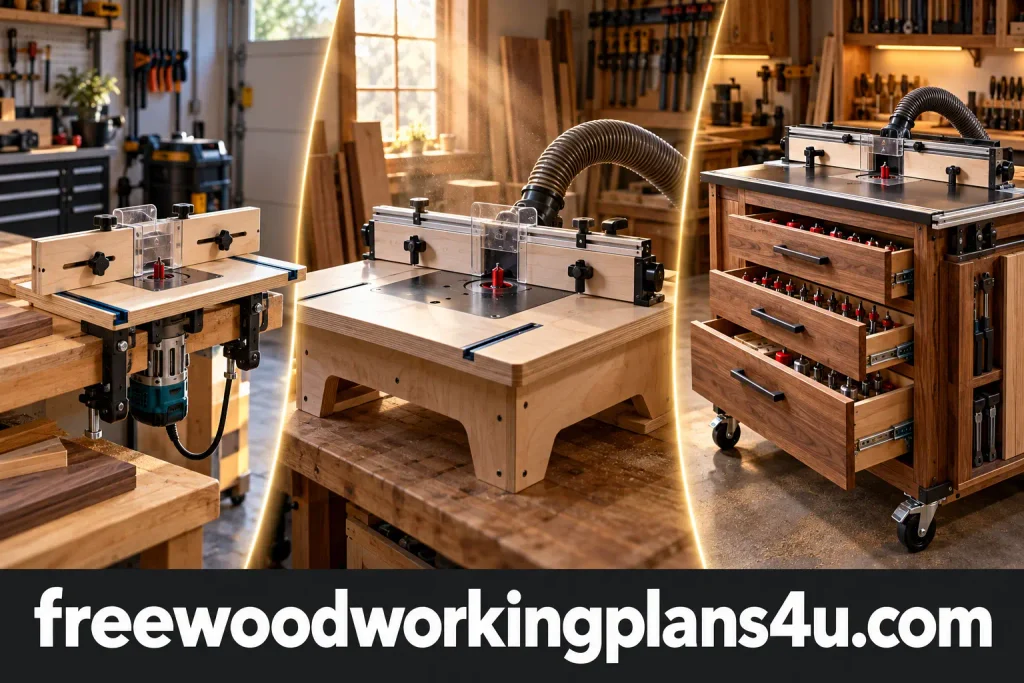
Here are three different options: a compact portable table from WOOD Magazine, a free guide from Popular Woodworking with several designs, and Patrick’s storage-focused router-table cabinet from Ana White.
Each has a different footprint and build commitment, so check the drawings and materials before you start cutting.
| Plan | A good fit for | What stands out | Check first |
|---|---|---|---|
| WOOD Magazine portable router table | A small shop or shared workbench | Compact design that stores away | Router mounting details and what the plan includes |
| Popular Woodworking’s free router-table guide | A benchtop build with added features | The guide includes a design with dust collection and bit-height adjustment | Current material costs and the hardware each design requires |
| Patrick’s Router Table Plans from Ana White | A dedicated station with storage | Drawers, bit storage, and casters | It’s an intermediate cabinet designed around a standard router table |
1. A portable router table for a shop that has to do double duty
When the workbench also serves as an assembly table, another permanent station may be the last thing you need. WOOD Magazine’s portable router-table plan is designed to be compact and put away between uses. The page describes the build as using basic supplies and provides a plan download.
That makes it a useful option to consider if you want table-mounted routing but can’t spare floor space. You can bring the table out when a project calls for it, then clear the bench again.
Before gathering materials, look through the plan and confirm the details that affect your particular setup:
- The finished dimensions and materials
- How the router attaches to the table
- Whether the fence is included in the drawings
- How the table is secured to your workbench
- Whether your router’s controls and adjustment points remain accessible
A portable design still needs a stable setup when you use it. Think about where clamps will go and whether your bench can support the table and workpiece without rocking.
If you’re weighing a portable table against a dedicated work surface, the site’s guide to free woodworking bench plans with storage offers another way to think through space, storage, and workflow.
2. A feature-rich build from Popular Woodworking
Popular Woodworking’s free PDF guide presents three router-table designs. One is a benchtop build with a dust-collection port and bit-height adjustment from above the tabletop. The guide also includes a horizontal table for joinery and a vise-clamped design that can be stored out of the way. www.popularwoodworking.com
Choose the design for the work you do
The benchtop design may appeal if you want a more equipped station, particularly if convenient bit adjustment and dust collection are high on your list. The page calls it “How to Build a Router Table for Just $50.” Treat that number as an old estimate, not a current promise: wood and hardware prices change, and your cost depends on what’s already in your shop.
The horizontal table serves a different purpose. Its sliding table and adjustable fence are intended for joinery such as mortises and tenons. That extra movement may be useful for the work it was designed to do, but it adds complexity compared with a simple table for edge routing.
The guide’s vise-clamped design offers another kind of flexibility. It can be stored when you need the bench for something else, and its fence accepts accessories such as clamps and featherboards. Read the details in the PDF before deciding which design suits your work and available space.
One useful question to ask is: What do I want this table to make easier? If the answer is repeated edge profiles, prioritize a suitable fence and solid workpiece support. If you do frequent joinery, take a closer look at the horizontal design. If storage is the problem, the clamped option may be worth comparing with WOOD Magazine’s portable plan.
For more on collection around workshop machines, see Woodworking Dust Collection Systems Explained.
3. A router-table cabinet with storage from Ana White
Patrick’s Router Table Plans are for woodworkers ready to build a more permanent station. The intermediate project includes a cabinet, drawers, router-bit storage, and casters. Ana White’s plan page offers imperial and metric shopping and cut lists, along with an option to email yourself a printable PDF. www.ana-white.com
There’s one important detail to catch before you begin: the cabinet is designed to work with a standard router table. The plan recommends selecting the router table first, then checking that the cabinet dimensions will work with it. So this is best understood as a storage-focused station built around a compatible router table, rather than a plan for every part of the router table itself.
The extra storage could make a busy shop feel calmer. Bits, wrenches, and accessories have a place to go, and casters make it easier to move the station when the floor needs to be clear. The trade-off is a larger build with more parts and assembly steps than a portable tabletop.
Before cutting, compare the shopping list and drawings with the equipment you intend to use. Check the router-table footprint, access to the controls, the bit-changing method, and how the unit will be powered. If you adjust any dimensions, review the connected parts again; one changed measurement can affect several pieces.
If you want a refresher on matching drawings to measurements, see the site’s guide to reading woodworking blueprints.
For broader shop planning, woodworking equipment for a home workshop can help you think about how a router station will fit with the tools you already use.
How to choose the right router-table plan for your shop
A good plan solves a real problem in your workspace. Before choosing, take a few minutes to match the design to your needs.
Start with the space you have
Measure where the table will sit, whether that’s on a bench or on the floor. Leave enough room to feed the workpiece and stand comfortably. If you’ll store the table between sessions, consider how you’ll move it and where it will go.
A clamp-on table needs a secure place to attach. A cabinet on casters needs room to roll and a way to stay put while you work. Decide which arrangement fits your shop before you fall for a feature list.
Confirm that your router fits
Check your router’s base, mounting holes, and adjustment method against the plan. Look for any requirement for a particular mounting plate, lift, or other hardware. Make sure you’ll be able to reach the controls and change bits as intended.
Don’t assume a compact or trim router is suitable for table mounting. Check its manual and the plan’s compatibility requirements first.
Price the whole build, not just the plan
A free plan doesn’t make every component free. You may need an insert plate, fence hardware, drawer slides, casters, dust ports, or fasteners. List what you already own, then price the remaining parts locally.
This is especially important when a plan page includes a specific cost in its title. Use that as historical context, not as a reliable estimate for your build today.
Choose a level of complexity you’re ready for
A portable table may involve fewer pieces than a cabinet with drawers, but either build still deserves a close read before the first cut. Review the drawings, list the tools you’ll need, and resolve unclear measurements or connections before you begin.
Router-table safety checks before the first cut
A router table changes how you guide the workpiece, but it doesn’t remove the need for a careful setup. Bosch’s router-table safety instructions warn against starting the router with the bit engaged in the workpiece, back-feeding into the bit, and routing unstable stock. Follow the instructions for your own router and table.
Before routing:
- Check that the router and table are mounted securely.
- Use suitable guards and workpiece support for the cut.
- Follow the feed direction shown in your router-table manual; don’t back-feed.
- Don’t route warped or unstable stock.
- Make a test cut in scrap and check the fence setup before cutting project parts.
For more workshop guidance, see the site’s beginner woodworking safety checklist and router basics guide.
Questions that come up before building
Which free router-table plan makes sense for a small shop?
Start with portable or bench-clamped designs. WOOD Magazine describes its plan as compact and stowable. Popular Woodworking’s guide also includes a vise-clamped option designed to store out of the way. Compare the dimensions and attachment method with your bench before you choose. www.woodmagazine.com
Does a free router-table plan include the router?
No—the plans describe a build, not a supplied router and hardware kit. Check the materials list and compatibility notes. Patrick’s plan, for example, is for a cabinet designed around a standard router table. www.ana-white.com
Are any of these plans available in metric?
Ana White’s Patrick’s plan page offers metric and imperial shopping and cut lists. For the other plans, check the original download. If you convert measurements yourself, do so carefully before cutting. www.ana-white.com
Is the Popular Woodworking build still a $50 project?
The page uses “$50” in the title of one design, but material and hardware prices change. Price the parts in your area before treating it as a budget estimate. www.popularwoodworking.com
Should I build a router table or buy one?
That depends on your router, the features you need, and the total cost of the build. A homemade table can suit a particular bench or shop layout, while a ready-made model may include hardware you’d otherwise have to source. Compare the full materials list and compatibility requirements before deciding.
Products / Tools / Resources
The plan you choose will determine what you need. Use its materials list as your guide, then check the following against your router and intended setup:
- Router and manual: Confirm that your model is suitable for the table arrangement and that its controls and adjustments will be accessible.
- Mounting plate or hardware: Use components that fit the router and opening specified by the plan.
- Fence and workpiece support: Check what the design includes and whether it supports the cuts you expect to make.
- Dust-collection hose and adapter: Match them to the port in the design; the site’s dust-collection guide covers workshop collection setups.
- Measuring and assembly tools: A tape measure, square, straightedge, clamps, and the tools listed in your chosen plan can help you check parts and keep assembly organized.
- Safety references: Keep your router and table manuals nearby, along with the site’s woodworking safety checklist.
- The plans themselves: Compare the portable WOOD Magazine plan, Popular Woodworking’s free guide, and Patrick’s cabinet-style plan before choosing your build.